Permissions
The Permissions tab in RigFlow System Configuration Tool is a read-only global matrix. Instead, it provides an overview of the predefined permissions that apply to each role and workgroup across the environment. This ensures a simplified and consistent access structure for all users.
How it looks
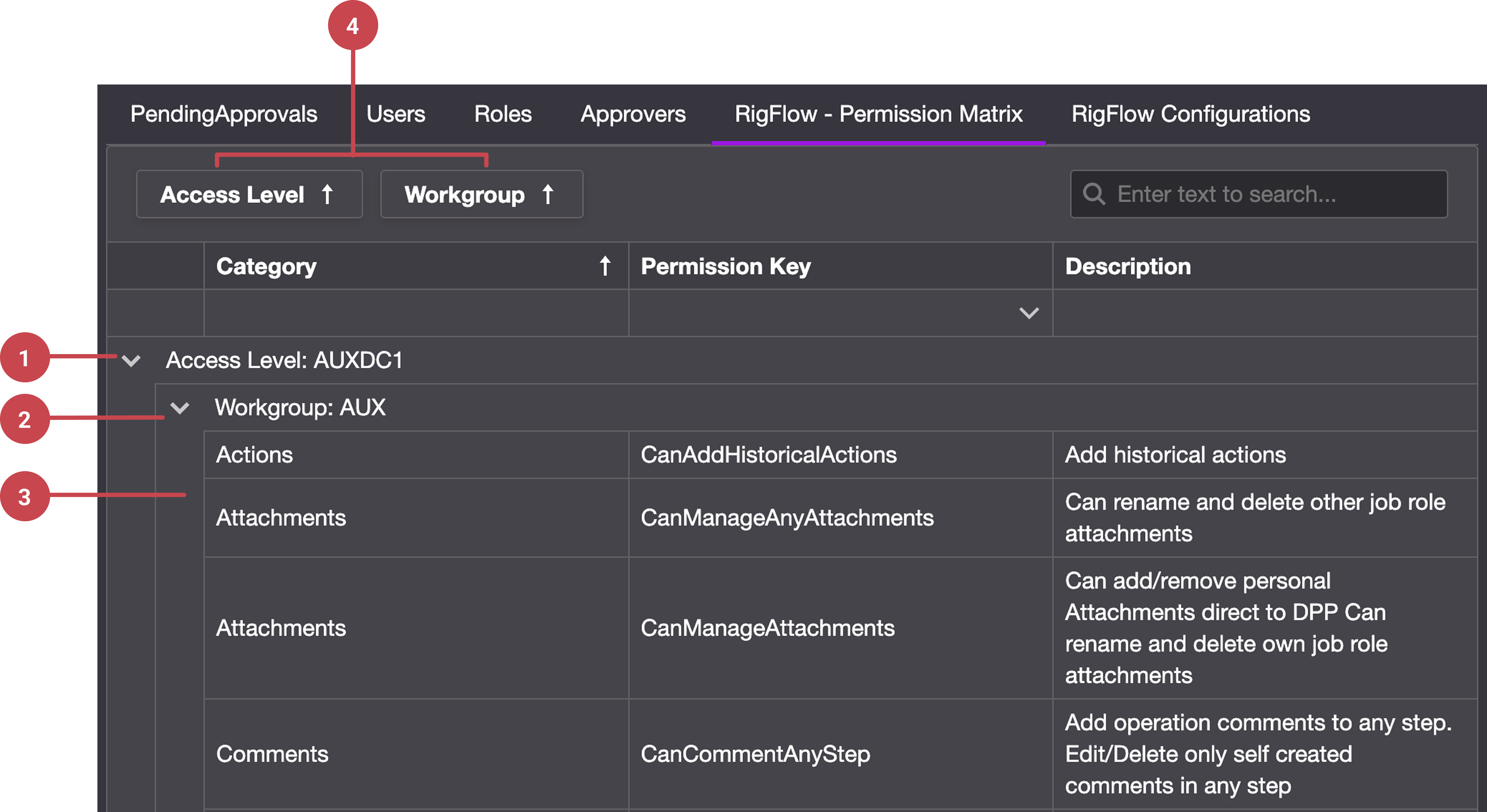
The Permissions tab displays a matrix-style table that shows:
Access Levels: Predefined roles grouped by their access level.
Workgroups: Within each access level, workgroups define specific functional areas.
Permission Details: Each workgroup expands into a table with the following default columns:
Category: Assigns and categorizes permissions.
Permission key: The technical name of the permission. You can use the dropdown button on its header to filter by permission key on the matrix.
Description: A short explanation of what the permission allows.
Field panel: A panel where you can drag and drop fields into the matrix. This lets you rearrange how permissions are displayed, similar to customizing a pivot table.
The matrix allows you to expand or collapse rows, drag to reorder information, and add columns to change how permissions are displayed.
Step-by-step instructions
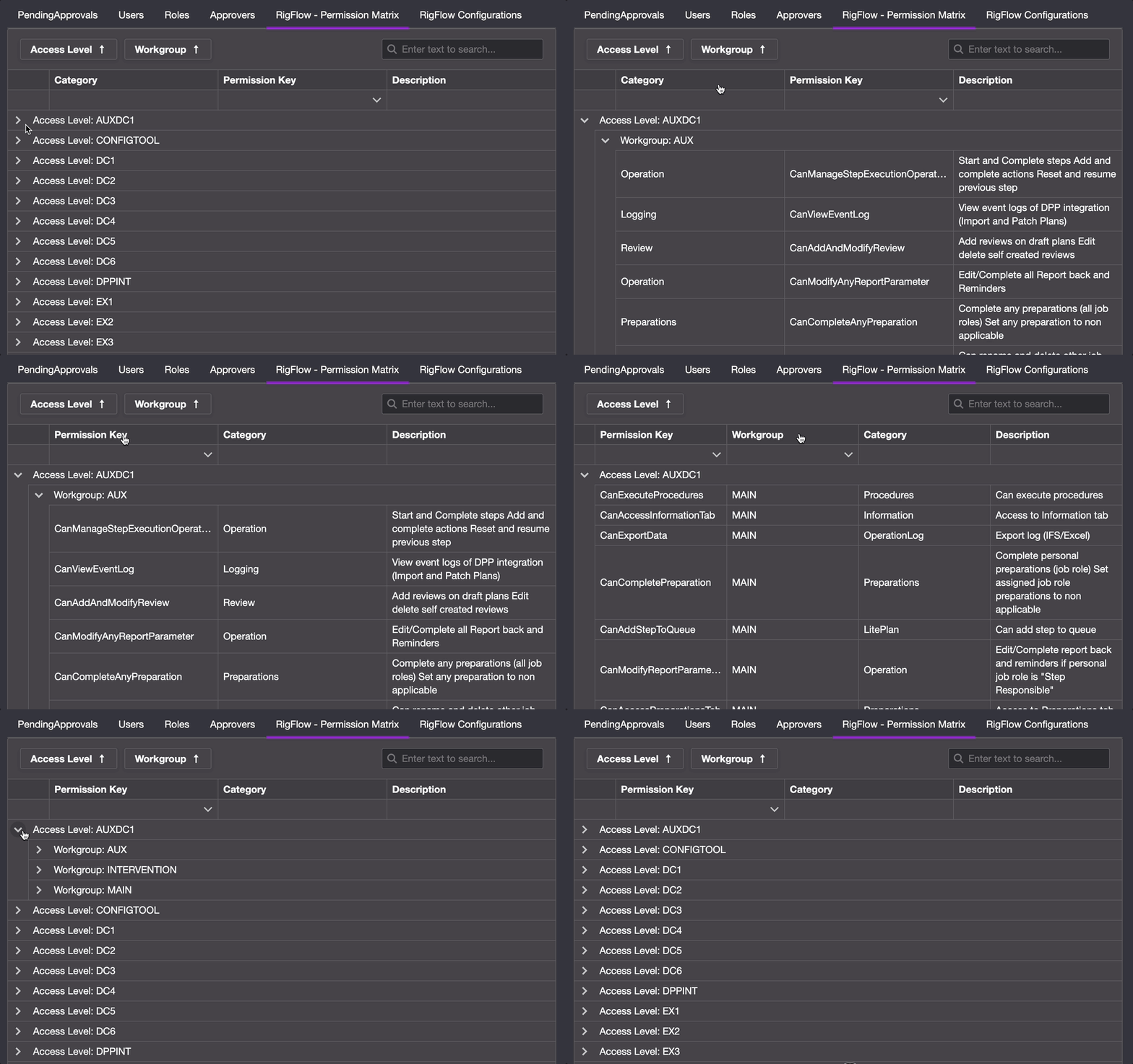
Open the RigFlow Permission Matrix: Navigate to the Permissions tab in the System Configuration Tool.
Expand an Access Level: Locate an access level in the matrix and click to expand it.
Open a workgroup: Within the access level, open a workgroup to view its assigned permissions.
Review the Permission Table: By default, the table is divided into three columns: Category, Permission Key, and Description. Use the expand/collapse arrows to navigate; you can also add, move or remove columns (such as Access Level or Workgroup) to adjust how information is shown.
Tips and tricks
Use the expand/collapse feature to quickly navigate large permission sets.
Add extra columns (e.g., Access Level) when reviewing to better compare permissions across roles.