Information
The  Information section on Plan Overview is a static page that presents users with relevant details related to the plan, such as well status and technical data. If any data needs to be updated during the plan's execution, these changes must be made using the plan creation tool, RigBridge.
How it looks
This tab is divided into five expandable sections, allowing users to add  insights and manage information efficiently.
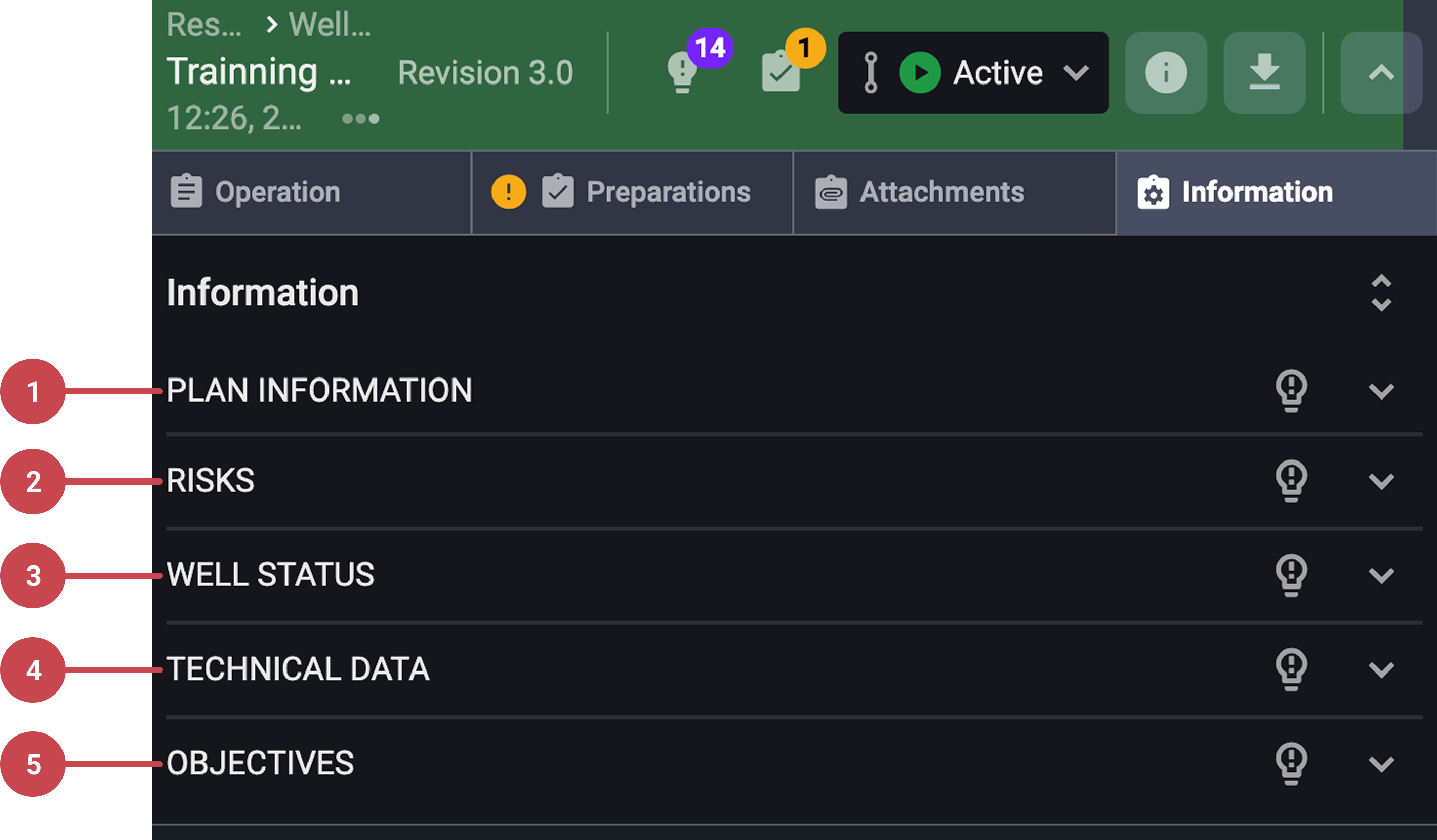
Plan information: This section details the well, including the planned and actual time spent on the plan, the revision number, approvals, and any actions added to the plan. It includes two key features:
Change log: View and compare changes to a specific plan. You can click on the Show revision history in change log to be redirected to the Change log.
Action in the operation log: Click the Show actions in the operation log button to filter and view the timing of actions within the operation log.
Risks: Any risks associated with the plan.
Well Status: The Well Status of the plan typically includes barrier information, different depths, sizes, and fluid types.
Technical Data: This section contains key technical data relevant to the plan, including operational limits, such as Maximum Flow Rate and Maximum Standpipe Pressure. Large data tables should be attached as separate files for easier read-through.
Objectives: The main objectives of the plan.