Right sidebar
The Right sidebar in RigFlow displays tools essential for your daily tasks.
How it looks
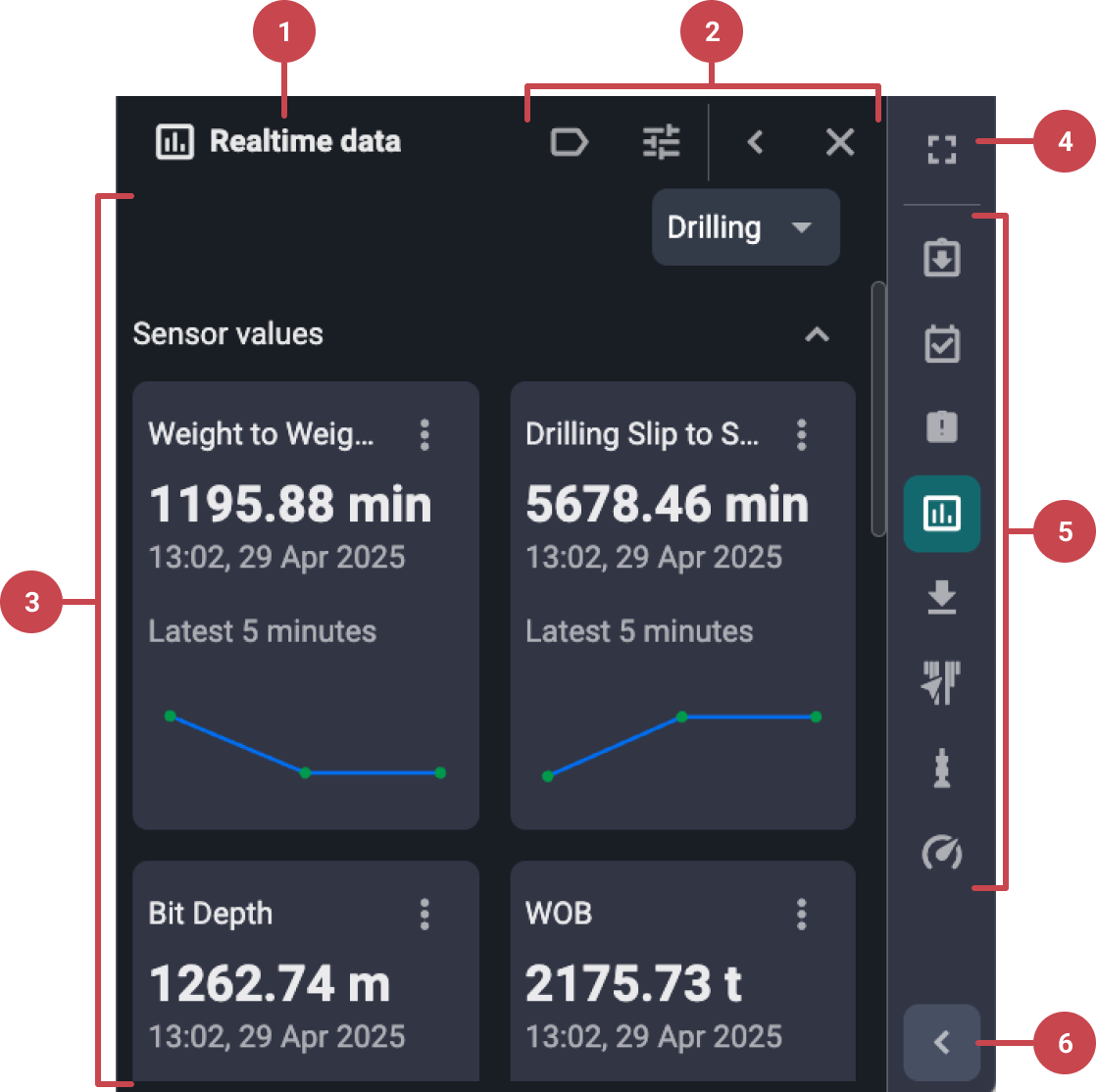
Title: Displays the active tool’s title chosen from the tools list on the Right sidebar.
Toolbar: Offers options to close the tool or expand it to occupy more screen space.
Tool content: Shows the content and functionality available within the selected tool.
Full screen: Hides the browser’s tabs, address bar, and other interface elements, displaying RigFlow in full-screen mode.
Tool List: Provides a comprehensive list of tools for the application located in the primary panel.
Expand menu: Reveals the labels for all icons in the Right sidebar.