Best practices for draft reviews
Draft reviews in RigFlow are designed to improve the collaboration process during the planning of drilling operations. They allow users to provide feedback on plans. This ensures that all operational nuances and field experiences are considered before a plan is finalized.
How to add a draft review comment?
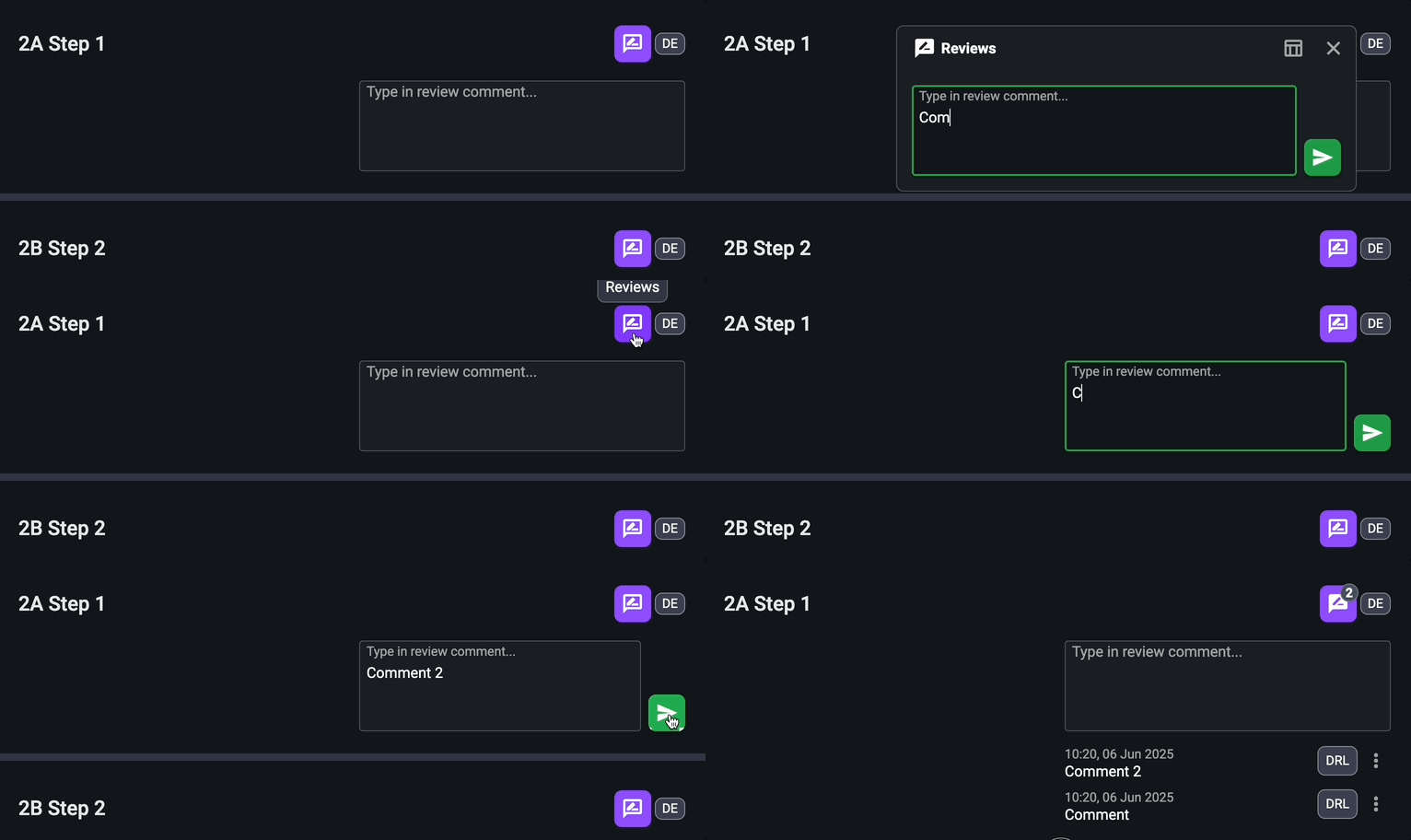
Open the relevant draft plan: On Plan Overview in RigFlow, go to
 Draft plan and select the plan you want to review.
Find the step you want to review: Scroll through the steps and identify where you want to add a comment.
Add a review: On the step where you want to add feedback, click the
Review icon or directly in the text box labeled "Type in review comment...", then enter your operational feedback or suggestion.Submit your comment: Click the
 Submit icon to upload your comment. The comment will now be visible to all users and appear in RigBridge.
How to edit or remove a comment?
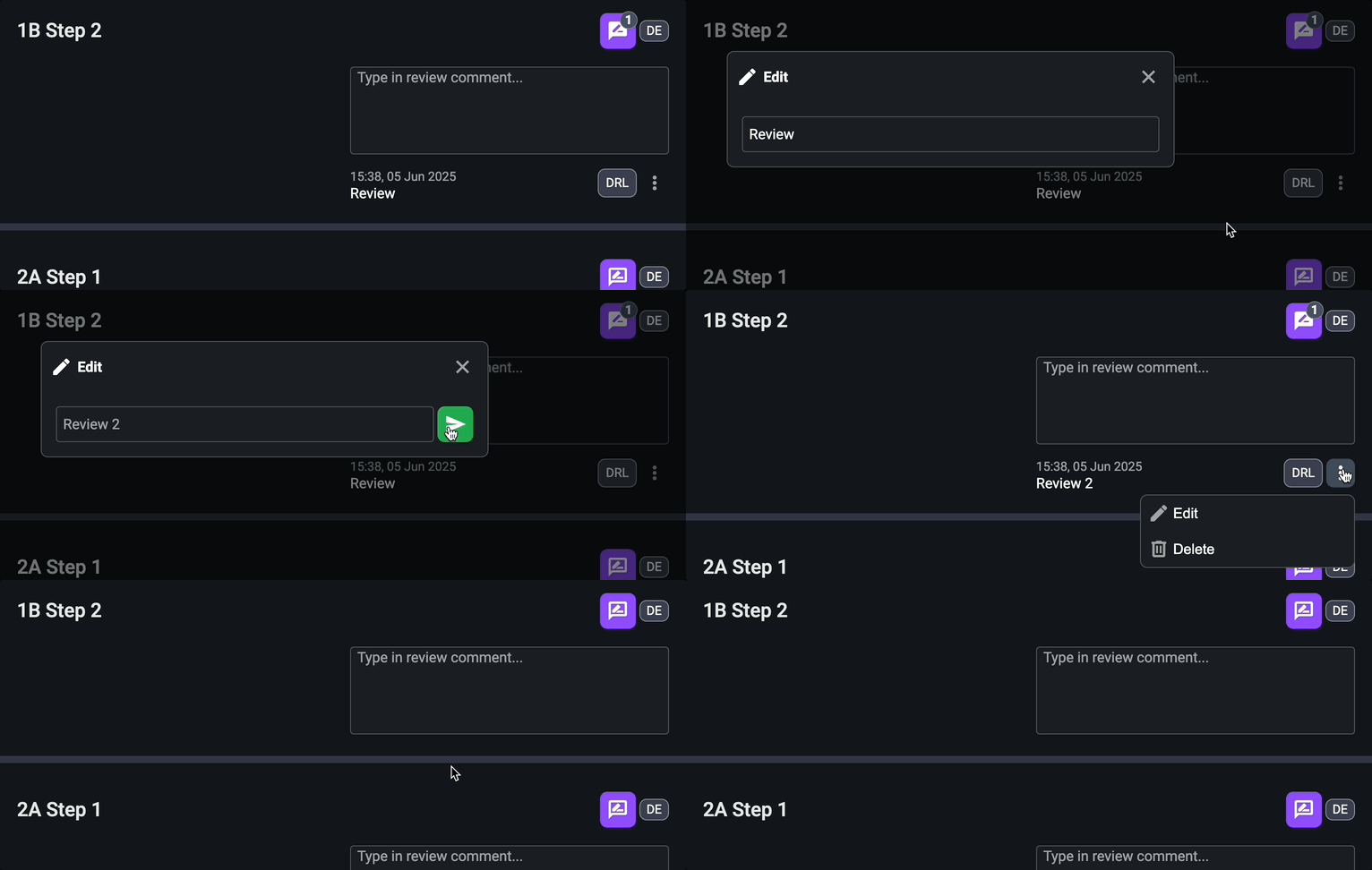
Select the comment: Locate the comment you want to edit/ remove in the draft plan.
Edit the review: Click on the
 More menu and select the
  Edit option to modify your comment.
Remove the review: To remove it, click on the
More menu and use the  Delete option.
How is the approval process?
When review comments are submitted in RigFlow, they are automatically synchronized with RigBridge. In RigBridge, users with certain roles are responsible for reviewing the comments. They have the option to approve, reject, or ignore each comment.
Tips and tricks
Encourage Participation: Draft Reviews are only as effective as the input they receive. Promote active participation.
Visibility is Key: All users can see comments, which enhances transparency but may deter some from sharing ideas. Support an open and respectful feedback culture.
Instant Sync: All changes sync instantly between RigFlow and RigBridge. If delays occur, contact the 24/7 support team for assistance.