
Undo a completed step

1.

Is there a way to resume a step that was accidentally set as completed?

Yes, you can easily undo a completed step if it was done in error or if you need to make adjustments to the workflow. Follow these steps to resume the previous step in RigFlow:
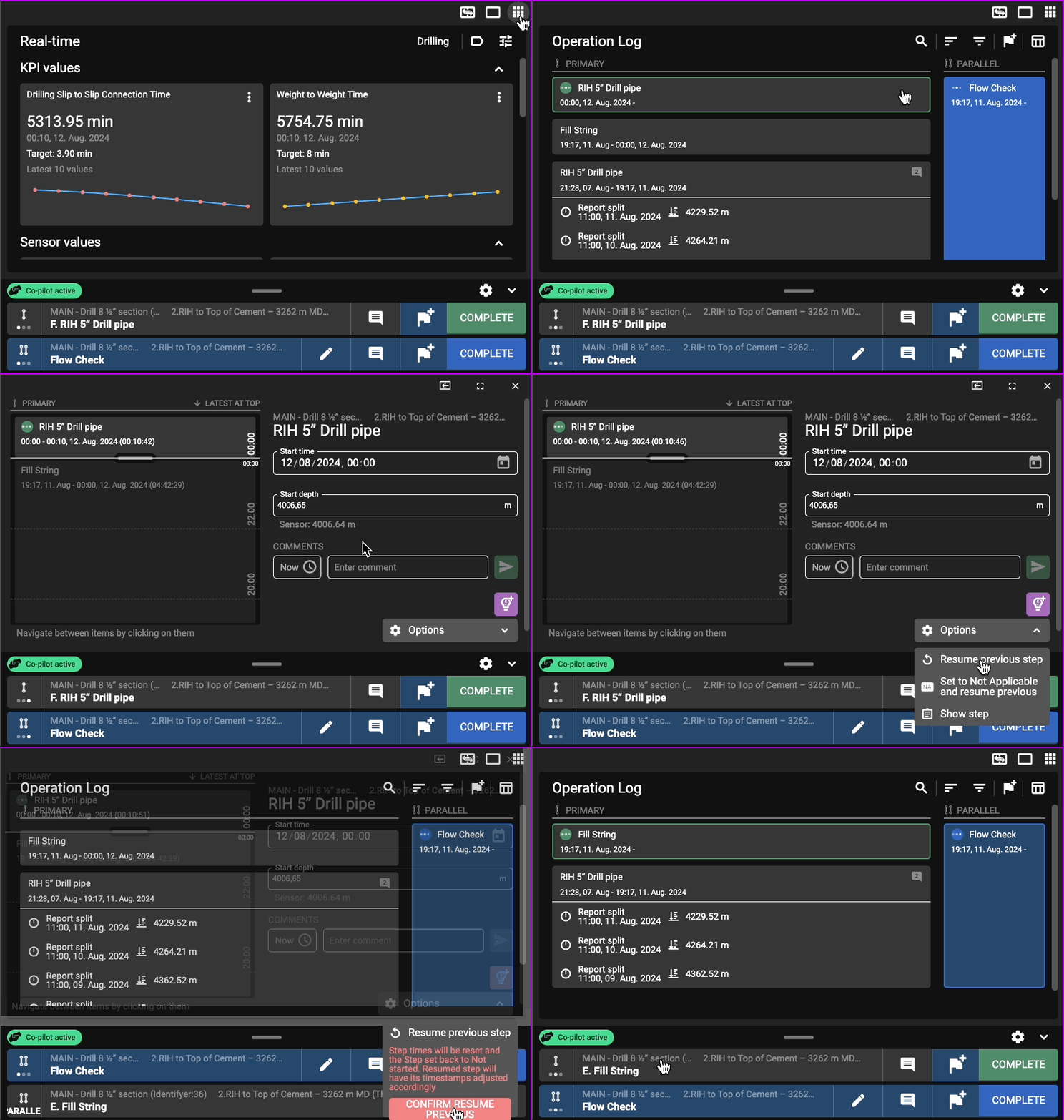
Q&A - Undo a completed step
  1. Navigate to the Operation Log by selecting it from the App Menu.

  2. In either the Table view or Log view, find the step that was mistakenly marked as completed. Click on the title of the step (e.g., "RIH 5" Drill pipe").

  3. Look for the Options button and click on it.

  4. From the dropdown menu, select Resume previous step.

  5. A warning button will show. Click Confirm resume previous step.

The previously completed step will now be active again, allowing you to make any necessary changes or continue from where you left off.