KPI
The KPI Integration feature in RigFlow is designed to streamline Key Performance Indicator (KPI) management within drilling operations. It eliminates the need for engineers to manually input KPIs into RigFlow, ensuring continuous updates and accurate tracking throughout the planning and execution phases. The feature provides real-time access to performance expectations and operational benchmarks.
How it looks
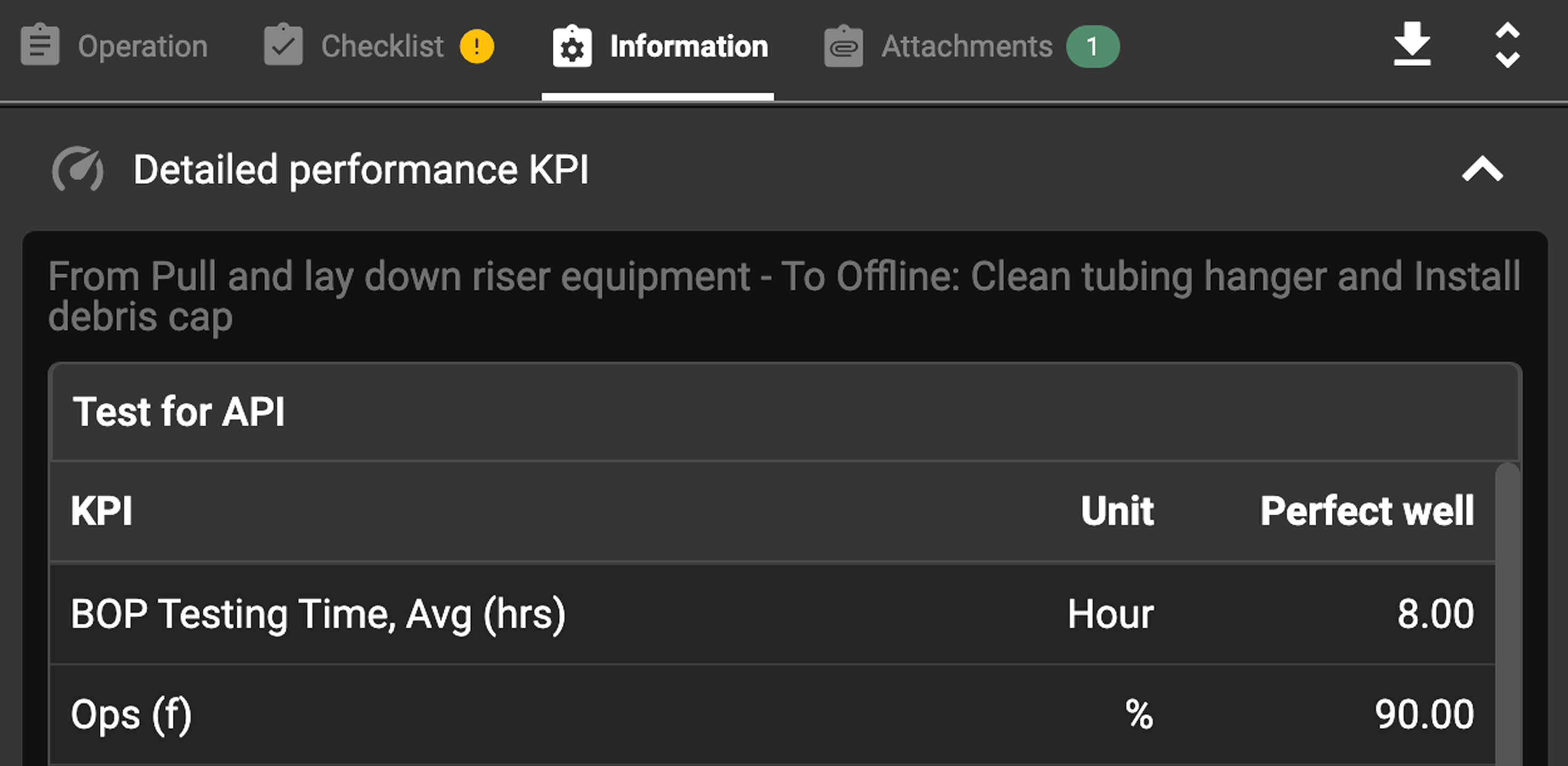
The KPI integration in RigFlow is displayed in the Plan Overview, under the  Information tab. It contains:
KPI name
Unit of measurement
Expected performance values (e.g., tripping speed, make-up time)
Note
The data is read-only, ensuring a single source of truth and preventing unauthorized modifications.
Important
KPIs are automatically transferred from the third-party integration, they originate from two possible sources: Section KPIs or Run KPIs from linked tasks. If the tasks are not properly linked, the information will not be transferred to RigFlow.
Step-by-Step instructions
Select and open a plan that contains KPI data on
 Plan Overview.
Go to the
Information Tab to find the  Detailed performance KPI section.
Click the
 expand button to display the KPI data.
If no value is defined in the third-party integration, an
 information icon will indicate missing data.
Examples
A drilling engineer planning a tripping operation can check the expected tripping speed KPI to ensure the plan aligns with operational targets.
A rig crew member can review the target time for BHA make-up before beginning the process.
Tips and tricks
 Expand and
  Collapse: Users can collapse or expand the KPI table, making it easier to focus on other parts of the plan if needed.
Troubleshooting
KPI table not visible: Ensure task linking has been completed in the plan editor.
KPI values missing: Check if they are defined in your third-party integration and update if needed.
Unable to edit KPI values: KPIs are read-only in RigFlow; update them in your third-party integration.
KPI updates not reflected: Wait a few minutes; KPI synchronization occurs regularly.