Explore the user interface
The RigFlow user interface is designed to provide an intuitive and efficient way for users to manage and track drilling operations.
This article will guide you through the main components of the user interface, including the header, left and right side application view, and the Global Action Bar (GAB).
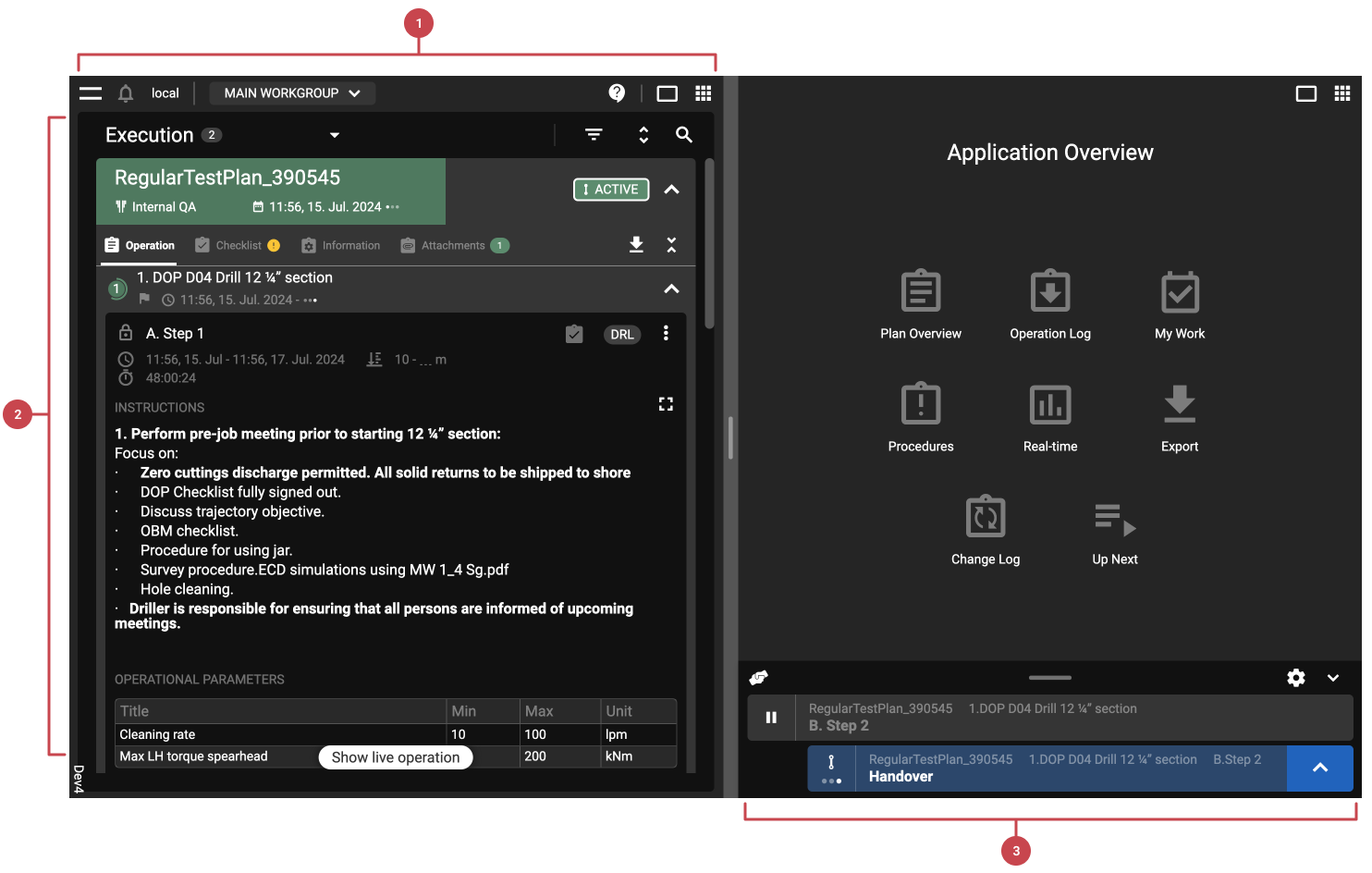
Header: This includes the main menu for settings, Event log, and log-out. You can also find Notifications, which Rig you are at, which workgroup you are in, support, changes to full screen, and the application menu.
Main View (Left/Right Side View): Supports split-screen mode to view two sections side by side, with icons to switch modes and swap views, allowing simultaneous monitoring of active steps and historical data. For more information, refer to the Appplication Overview.
Global Action Bar (GAB): The Global Action Bar allows repositioning and resizing, managing steps (complete, start as primary or parallel), adding comments and actions, and switching between primary and parallel steps. For more information, refer to the Global Action Bar.