Operation
The  Operation tab focuses on the steps that need to be executed or have already been completed during well construction activities. This section provides detailed guidance for each operational task, offering the drilling team real-time updates and a clear overview of the current plan's progress.
Overview of the Operation section
The Operation section allows users to track ongoing tasks and ensure that the well construction plan is followed accurately. Each operation is represented as a "step" within an activity. Activities serve as a way to group-related steps, making maintaining an organized view of a plan easier. Think of activities as chapters in a book, with each step functioning like a paragraph within those chapters.
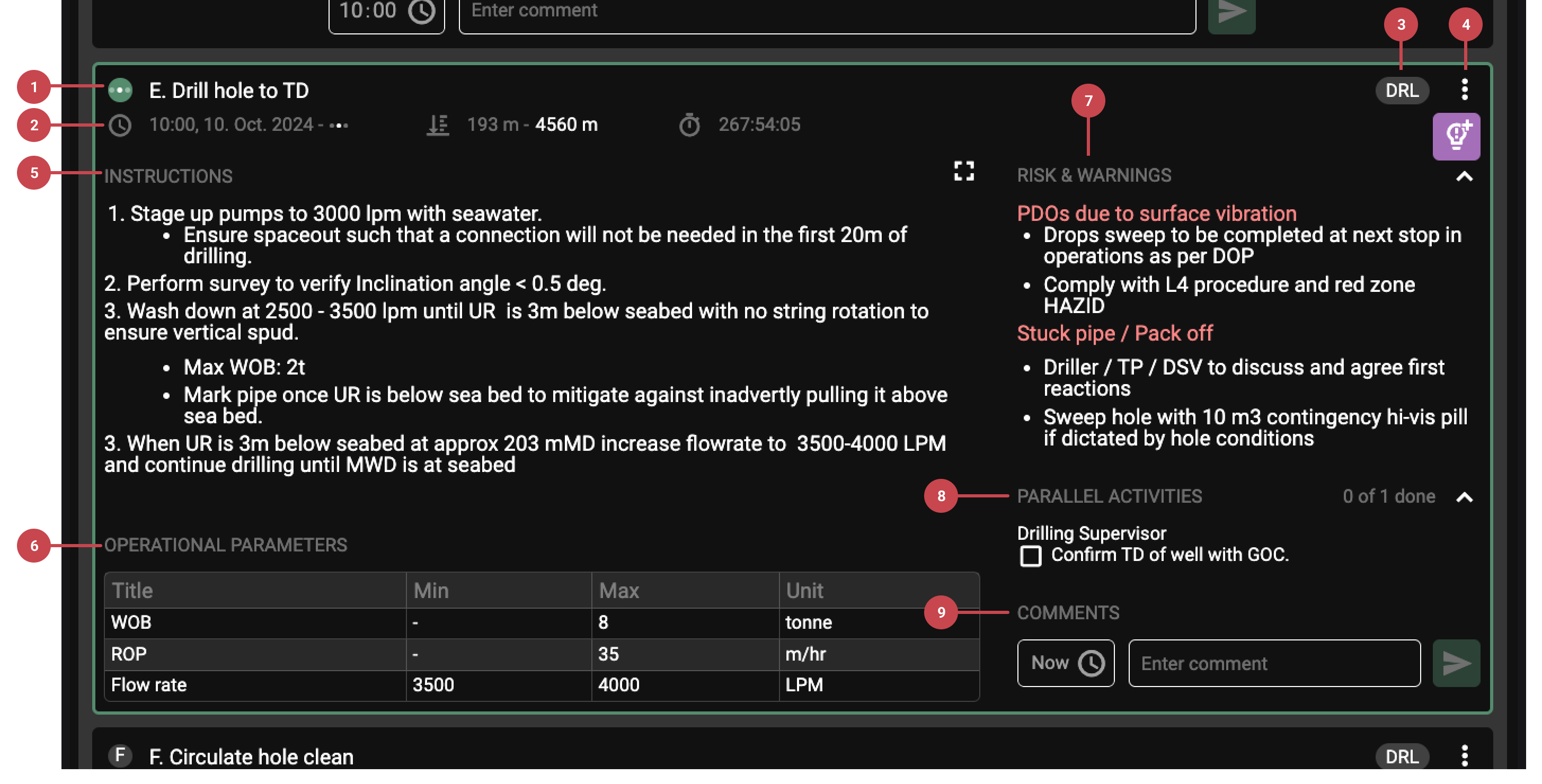
The following components are available within each operational step:
Step title: A brief title describes the operation step.
Step status: Includes key details such as:
Start/Stop Times: Records the beginning and end of the operation. If the task is still in progress, only the start time will be shown until completion.
Depth Information: Displays the relevant depth range for the operation, such as "from" and "to" depths when drilling is involved.
Step Duration: Automatically calculates the total time spent on the operation.
Responsible roles: Specifies the job role of being accountable for executing the step, ensuring clear responsibility.
More actions: Additional options like insights and "show in operation log."
Instructions: Detailed guidelines are provided by the plan author for the rig crew to follow.
Operational parameters: Displays relevant parameters specific to the operation step.
Risk and Warnings: Highlights critical information about potential hazards or risks associated with the step.
Parallel activites and Report back: Shows requested feedback or confirmation from the responsible role, answered using checkboxes or entry fields.
Comments: Allows users to document observations, challenges, or any other essential details related to the step.