BHA
The BHA (Bottom Hole Assembly) third-party integration is a feature within RigFlow that enables seamless integration and sharing of BHA data between different software applications. This feature is designed to minimize manual data entry by automatically synchronizing planned BHA configuration from your third-party integration into RigFlow. It ensures that drilling engineers and rig personnel have up-to-date information on planned BHAs without needing to manually copy or edit the data.
How it looks
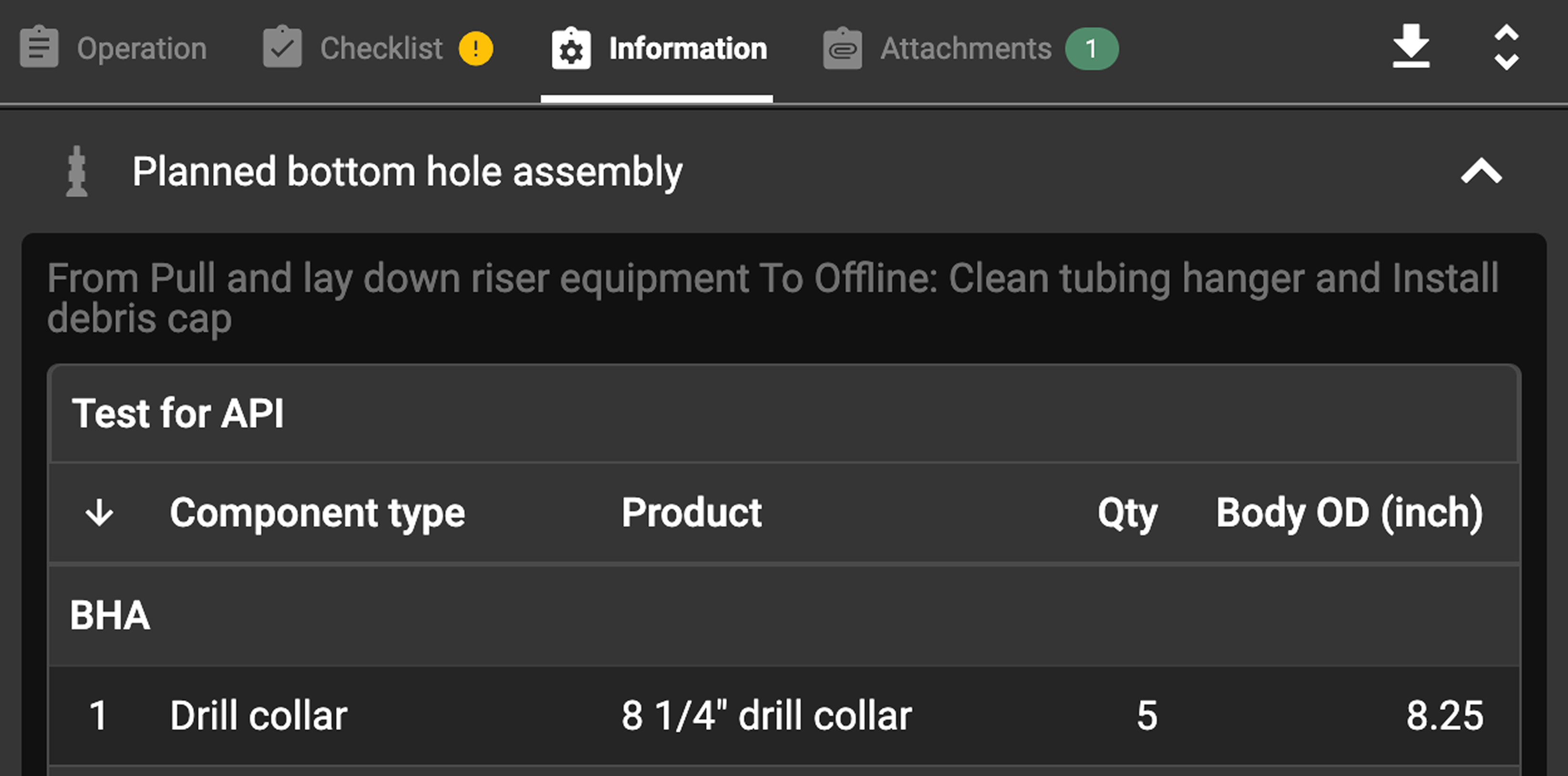
The BHA Integration in RigFlow is displayed in the Plan Overview, under the  Information tab. This tab provides a complete breakdown of all the planned BHA components, including:
Component Type – The specific part (e.g., drill bit, stabilizer, MWD tools).
Product Name – The exact model or name assigned to the component.
Quantity – The number of each component in the assembly.
Outside Diameter (OD) – The external measurement of each tool.
Inside Diameter (ID) – The internal diameter where applicable.
Length – The individual length of each component.
Cumulative Length – The total length of the assembly as components are added.
Weight – The weight of each component.
Tensile Strength – The maximum stress the component can endure.
Supplier – The service company providing the component.
Comments – Any additional notes related to the BHA.
Note
When hovering over the name of each component type, there is a  Product Data Tab. It provides a detailed breakdown of each BHA component's specifications. This tab includes technical parameters, supplier details, and operational limits.
Important
For the BHA Integration to work correctly, tasks must be linked to the Plan, and these tasks must contain BHA data in the third-party integration. If the tasks are not properly linked or if the BHA data is missing in the third-party integration, the BHA information will not be transferred to RigFlow.
Step-by-Step instructions
Select and open a Plan that contains BHA data on
 Plan Overview.
Go to the
Information tab to find the  Planned bottom hole assembly section.
Click the
 expand button to display the BHA data.
Examples
The rig crew (drillers, assistant drillers) can verify the expected BHA configuration before tripping in the hole.
Directional drillers can confirm if all planned survey tools and stabilizers are included in the BHA.
Troubleshooting
BHA data not appearing: Verify that the tasks are linked and contain BHA data in your third-party integration.
Missing component information: If a field is empty, it means the data was not provided in your third-party integration.
Cannot edit BHA: The BHA feature is read-only in RigFlow. Edits must be made in your third-party integration.